Querying a CSV with SQL, without importing it
You do not need a database. Several tools will run SQL directly against a CSV file sitting on your disk, with no schema to define and no load step.
Why not just import it
Loading a CSV into Postgres or SQLite means creating a table, guessing at column types, waiting for the import, and then remembering to clean it up. For a file you are going to look at once, that is most of the work for none of the value.
Reading the file in place skips all of it, and for columnar formats it is also faster, because the reader can skip the columns you did not ask for.
The options
DuckDB (free)
The CSV becomes a table name:
duckdb -c "SELECT category, count(*) FROM 'sales.csv' GROUP BY 1 ORDER BY 2 DESC"Types and the header row are sniffed automatically, and you can override
the sniffing with read_csv if it guesses wrong. Full SQL,
including window functions and joins across several files at once.
csvkit's csvsql
csvsql --query "SELECT ..." file.csv. Pleasant for small
files; it builds a SQLite database behind the scenes, so it slows down
sharply as the file grows.
q
q "SELECT c1, count(*) FROM file.csv GROUP BY c1". Light and
quick, with its own dialect quirks.
SQLite's import
.import --csv file.csv t inside the sqlite3
shell. This is an import rather than a read-in-place, so it costs time and
disk, and every column arrives as text unless you say otherwise.
Doing it in Datapuddle
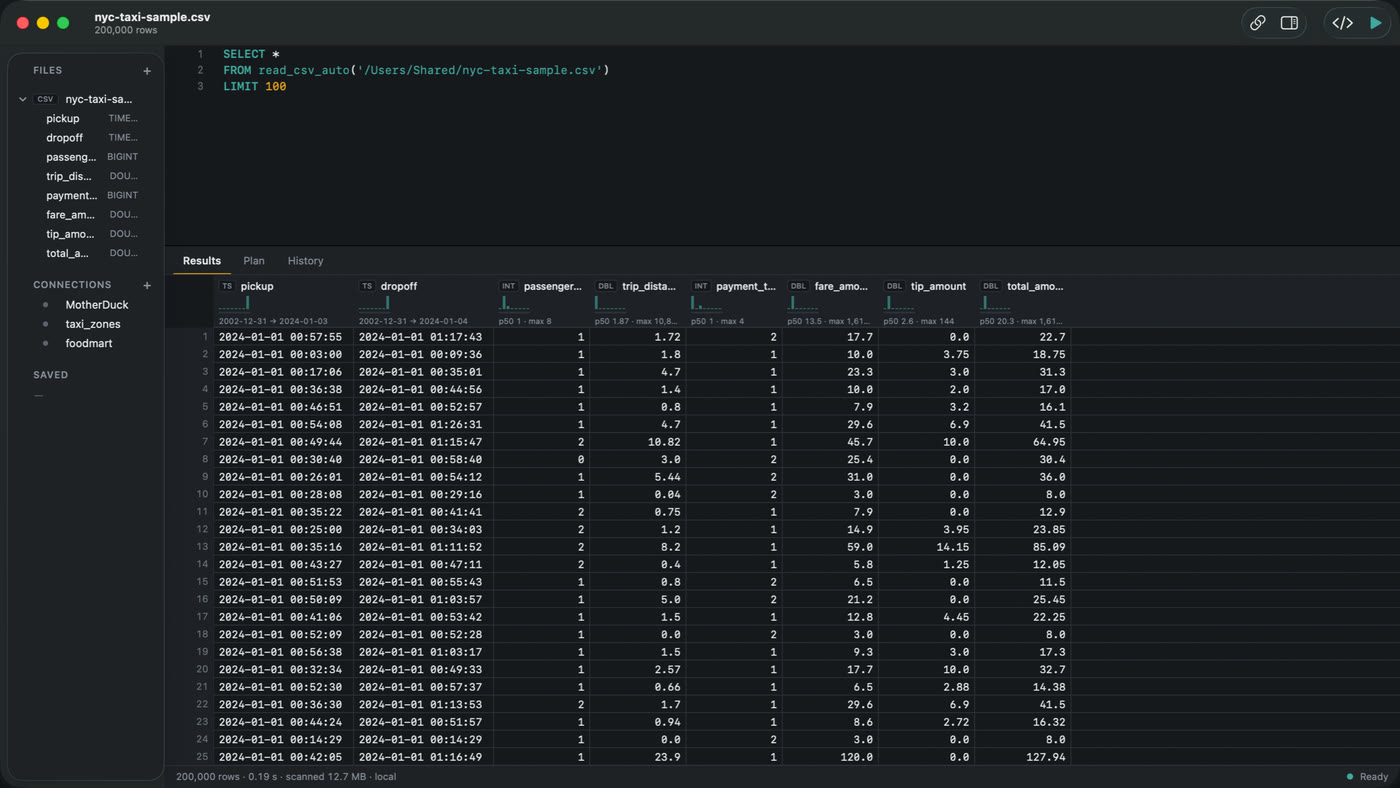
Datapuddle is the same DuckDB engine with an editor and a grid around it. Open the CSV, write SQL above the results, press ⌘↩.
What the graphical version adds over the CLI:
- Completion that knows the columns you actually have open.
- A grid that holds the whole result, so a query returning millions of rows is scrollable rather than paged.
- ⌘⇧↩ runs the query and profiles it, showing where the time went as a waterfall.
- History in a local SQLite database with full-text search, so last week's query is findable from a fragment of it.
Several files can be queried together, and a Postgres database can be attached alongside them, so a join between a CSV on your disk and a table on a server is one statement.
Datapuddle on the Mac App Store — 7 day trial, then $39.99 once. Apple silicon, macOS 14 or later. · Docs Guides · Home