How to open a .duckdb file
A .duckdb file is an entire database in a
single file — tables, views, indexes and all. Unlike a CSV there is
nothing to sniff and nothing to import; you attach to it and the catalog
is there.
The command line (free)
brew install duckdb
duckdb mydata.duckdb
D SHOW TABLES;
D SELECT * FROM orders LIMIT 20;
That is the whole thing. .tables and DESCRIBE get
you oriented, and it is genuinely all some people need.
The catch nobody warns you about
DuckDB's storage format changes between releases, and an older
DuckDB cannot open a file written by a newer one. If you are handed
a .duckdb and it refuses to open, the usual cause is not
corruption — it is that whoever made it was on a later version than you.
The fix is to upgrade the reader, or to ask for the file back as Parquet, which has no such problem. This applies to every tool including this one: Datapuddle ships DuckDB 1.5.5 compiled in, so a database written by a release newer than that will not open until the app is updated.
It is worth knowing before you conclude the file is broken.
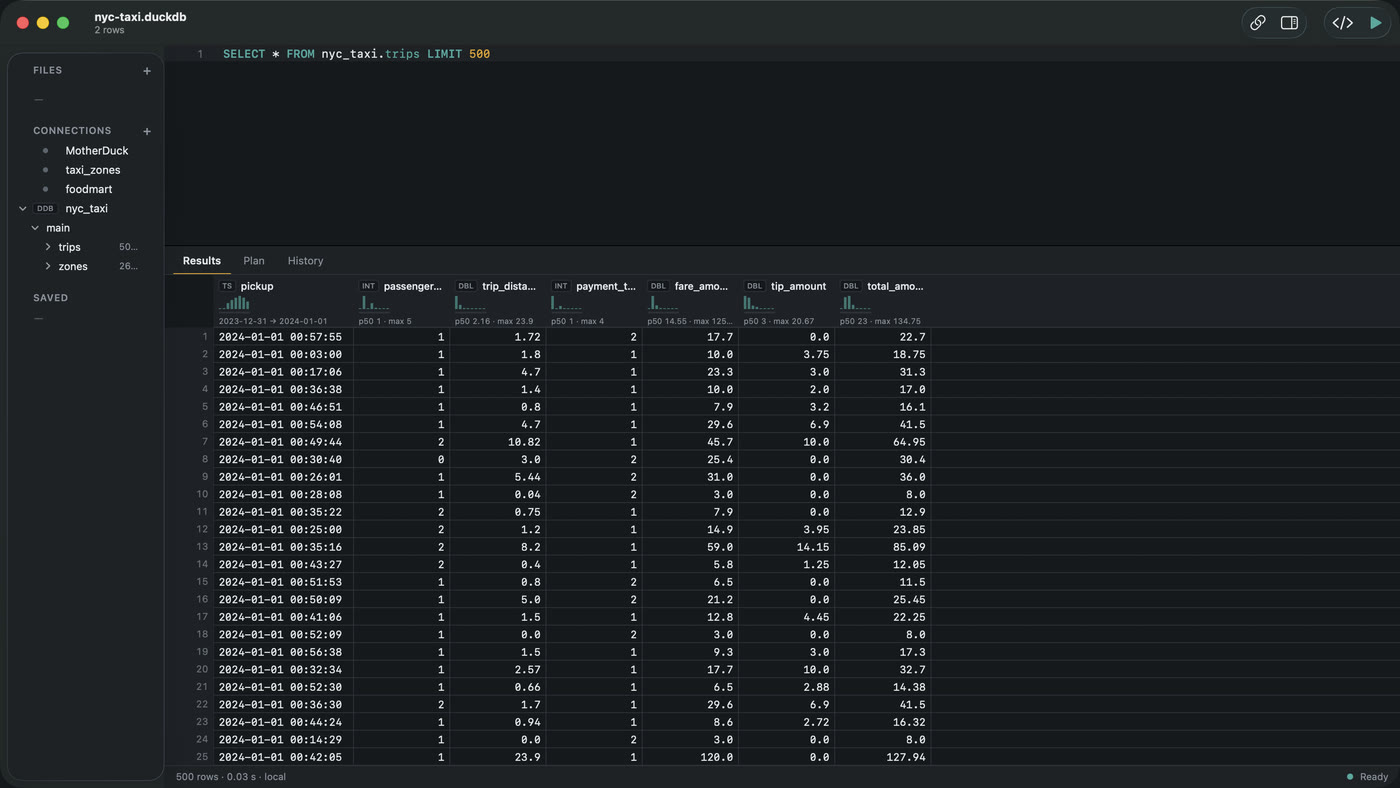
Doing it in Datapuddle
- Double-click the file, or ⌘O.
- The catalog appears in the sidebar: every schema, table and view in the database.
- Click a table to see it, or write SQL against it in the editor.
Because it is DuckDB underneath, you can attach other things alongside and query across them — a Parquet file on your disk, an S3 bucket, a Postgres database — in a single statement, without moving anything.
Query plans render as a waterfall after ⌘⇧↩, which is the fast way to find out why something in an unfamiliar database is slow.
Which to use
- You know what you are looking for — the CLI.
- You are exploring someone else's database — a sidebar
with the catalog in it saves a lot of
SHOW TABLES. - The file will not open at all — check versions before anything else.
Datapuddle on the Mac App Store — 7 day trial, then $39.99 once. Apple silicon, macOS 14 or later. · Docs Guides · Home