How to open a Parquet file on a Mac
Nothing on macOS opens a .parquet file by
default. It is a compressed, columnar, binary format, so a text editor
shows you noise and Preview shows you nothing.
What a Parquet file actually is
Parquet stores data by column rather than by row, compresses each column separately, and keeps a footer describing the whole file. That is why it is small and fast to query, and also why you cannot just look at it.
The upside is that a good reader never has to load the whole thing. It can read the footer, find the columns you asked for, and skip everything else. A five gigabyte Parquet can answer a question in under a second.
Ways to open one
DuckDB's command line (free)
The quickest no-install-ceremony route, if you are comfortable in a terminal:
brew install duckdb
duckdb -c "SELECT * FROM 'data.parquet' LIMIT 20"
duckdb -c "DESCRIBE SELECT * FROM 'data.parquet'"
No import, no conversion. It reads the file where it sits.
Python
pandas.read_parquet or pyarrow.parquet.read_table
both work and are the right answer if the next step is code. They load into
memory, so a file larger than your RAM needs row-group iteration and some
care.
Convert it to CSV
Possible, and usually a mistake. You lose the types, you lose the compression, and a Parquet that was 600 MB can land as several gigabytes of text that Excel still will not open.
Doing it in Datapuddle
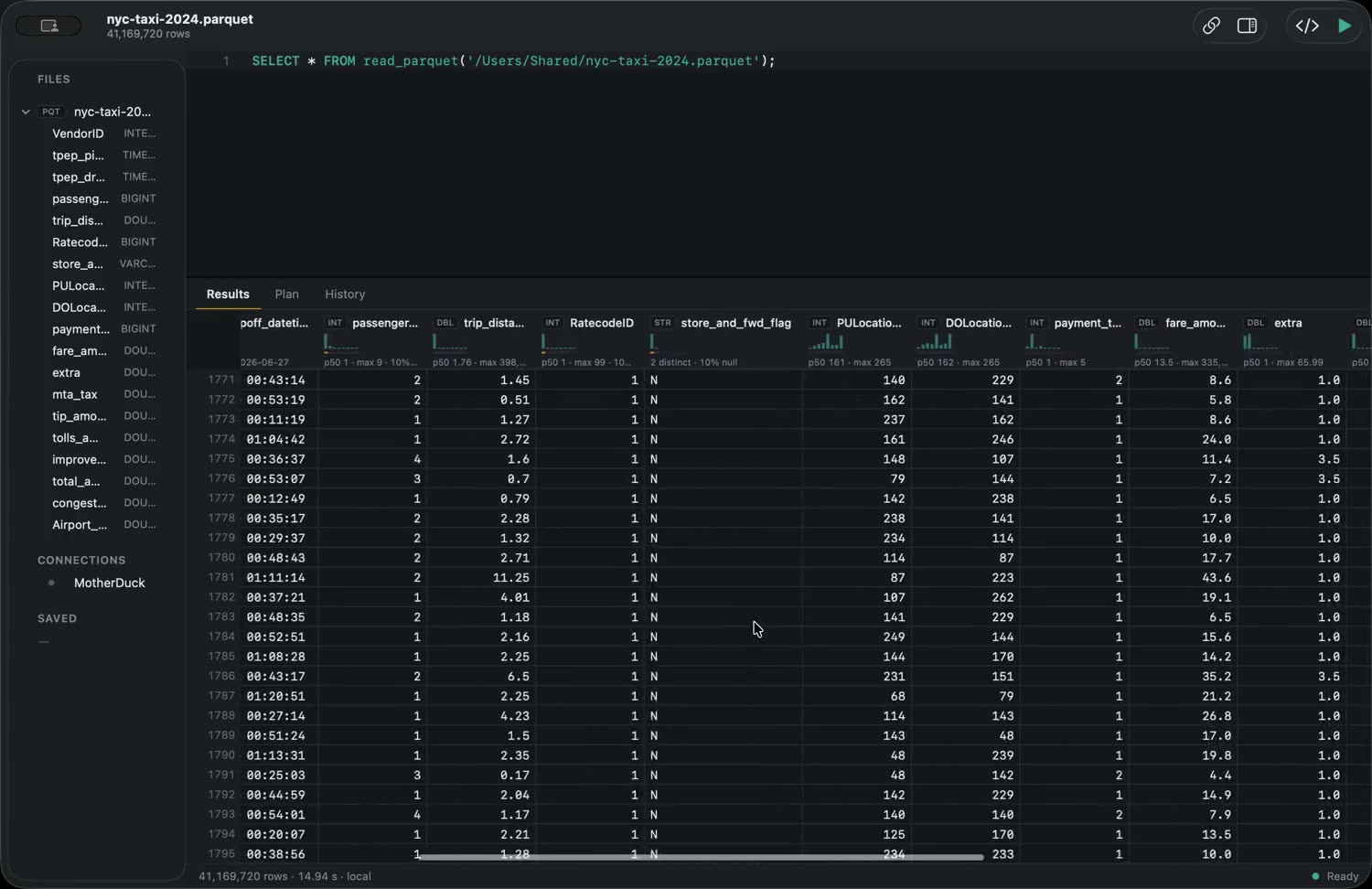
Datapuddle is a Mac app with DuckDB compiled in, so Parquet is a first-class file type rather than something you import.
- Double-click the file in Finder, or drag it onto the app icon.
- It opens at once — the footer is read, not the file.
- The grid holds the whole result, so you can scroll to the end of a forty-million-row file rather than paging through it.
Globs work too, so SELECT * FROM 'logs/*.parquet' treats a
directory of files as one table. Every column header draws its own
distribution, null share and distinct count, which saves writing the
GROUP BY you were about to write.
Which to use
- A one-off peek — DuckDB's CLI. It is free and it is excellent.
- Feeding a pipeline — pyarrow or pandas.
- Actually looking at the data — something with a grid, which is what Datapuddle is.
Datapuddle on the Mac App Store — 7 day trial, then $39.99 once. Apple silicon, macOS 14 or later. · Docs Guides · Home